Showing posts with label pattern. Show all posts

Saturday, 13 April 2019

After Chaos

I can't find a filter I like starting with L so I may have to skip a few letters in my #Inkscape filters ABC sequence but here's something else that shows how #choas is #related to #complexity and vice versa

This was made with #gimp


#turbulence no pattern yet but lets add #smalltiles


patterns begin to appear from random pixels so next some cut and paste and rotating and flipping etc

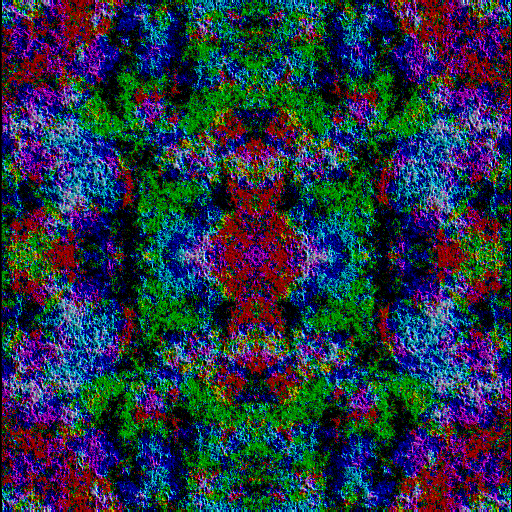

We have a pattern but its kinda gaudy and glarish so color and texture edits 


definitely better but could be even better


less texture more dark tones for contrast or I can change the colors again


either of these last two tiled or enlarged should work for my #redbubble shop or as a screensaver maybe  I'll use both variants?

Oh I'm thinking for doing some screensavers for my patreon too

Send feedback would you like this as a #Patreon reward or a #Redbubble product ?


Saturday, 20 January 2018

From Coffee Stain to JADE NIGHT

Recently I uploaded a design to my www.redbubble.com/people/scholara #redbubble called #jadenight. I used a slightly different method for that  one.

I started with a background /bottom layer that was dark blue and then I applied the #gimp #coffeestain #filter. This makes a washed out (semi)circular brown mark and turned my blues to sepia. Why did I use Coffee Stain ? I wanted to experiemtn and see what happened if I used the Color Edit Tools!

Copyright Julie Vaux 2018

Off to the Color Tools. Turn down the yellows reds blacks etc and way up for greens and blues and shift the saturation too! Yes much more interesting!

Copyright Julie Vaux 2018


Ah the blues are back along with some interesting greens but I need to make to crop and tile!

Copyright Julie Vaux 2018

This is a small version of the final image that was uploaded to Red Bubble.


I cropped the edges twice and still have a very faint line showing on a couple of products but I dont think it distracts too much ?
You can get this on scarves tote bags prints notebooks lotsa gifts ! 

Friday, 15 April 2016

Starting a new pattern!

This is the start of a new #pattern.
Yes I'm discussing #technique.


Copyright Julie Vaux 2016


So clearly I have taken a photo of a color study of felt tip marker on paper and enlarged and cropped one section. 

What to do next.

First the color values!  ... the paper should be white so Thresholds or Curves 

Next I'll tile this section into a pattern using Small Tiles in Gimp and save it as a jpg or png to export and upload to #redbubble to go on scarves and other items.

BUT maybe I'll do something different using Gimp filters?

Follow me to watch for my next experiment with this file and see the finished result!

Thursday, 21 March 2013

PLASMA RAP

Copyright Julie Vaux 

DANG I love this design but I don't think its workable or printable in its current state as I have an nasty and strong suspicion that although technically there's only two or three  colors the swirly pattern might lead to bleeding in an actual print even a enlarged digital print using inkjet methods? Let alone silk screen printing 4 or 6 colors?  Are the colors separable? Am I being too hestitant? 

Ideas anyone?